Knowt

Ladder Board

Knowt

Ladder Board

UI Design

Interaction Design

Overview

Knowt, is an AI-powered study app that turns notes, PDFs, slides, and videos into flashcards, summaries, and quizzes. It supports spaced repetition, lets user import Quizlet sets, and offers study tools like practice tests and card sorting. Knowt’s main users are students, teachers, and schools, Students use it to quickly turn notes into study tools, teachers use it to create class materials and assessments, and schools adopt it because it supports large-scale use and meets educational privacy standards.

My Role

User Research • UI Design

Interaction Design • Motion Design

Team Member

Liya Yan

Samiha Aarashi

Swapna Dhar

Problem

Problem

Students often struggle to engage with one another, leading to a lack of interaction and a sense of isolation. This can decrease motivation, as users may feel disconnected or uncertain about their progress. Without meaningful connections or a sense of community, staying motivated becomes challenging, and users may not fully invest in the experience or achieve their goals.

Students often struggle to engage with one another, leading to a lack of interaction and a sense of isolation. This can decrease motivation, as users may feel disconnected or uncertain about their progress. Without meaningful connections or a sense of community, staying motivated becomes challenging, and users may not fully invest in the experience or achieve their goals.

Solution

Solution

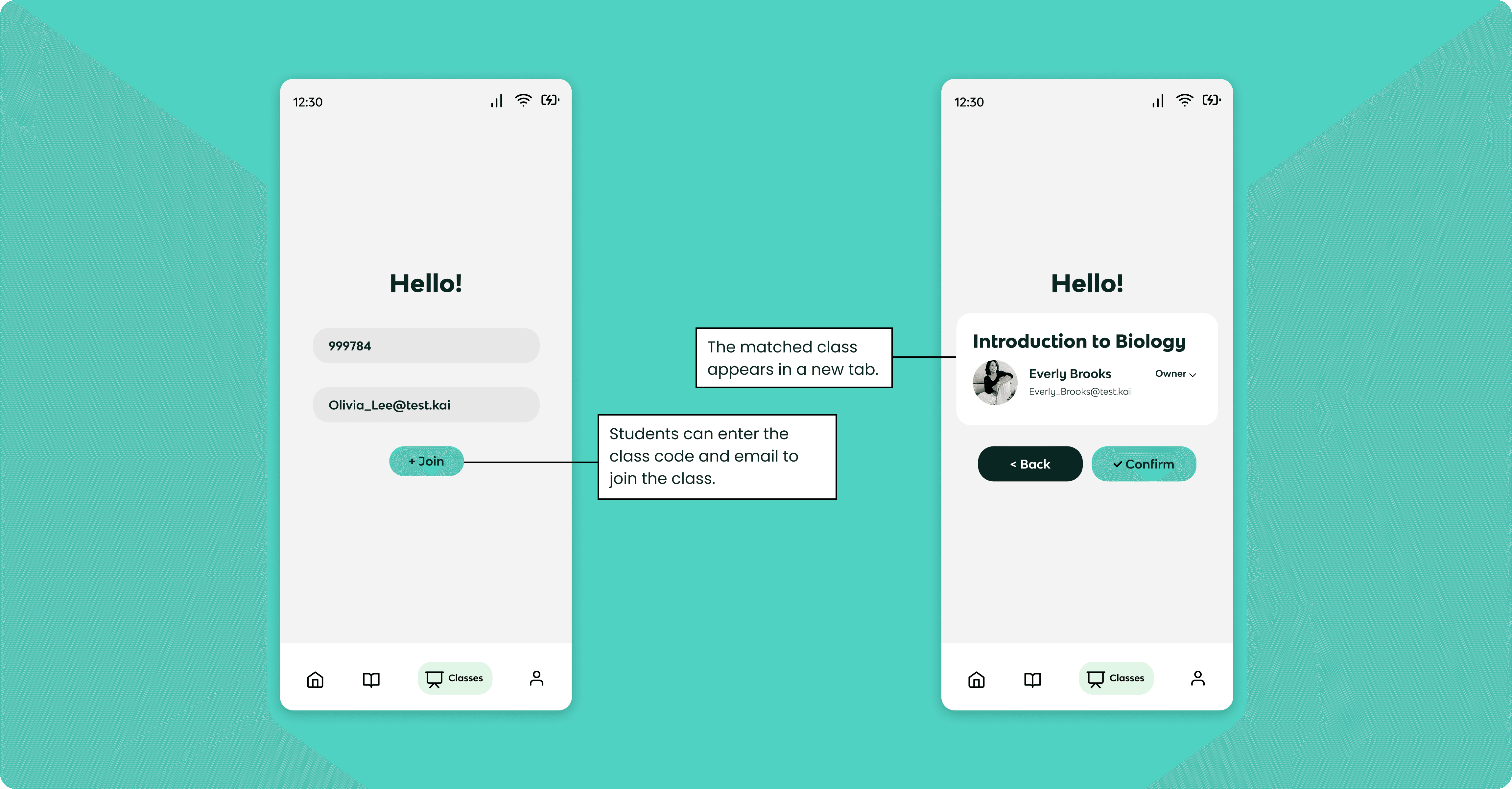
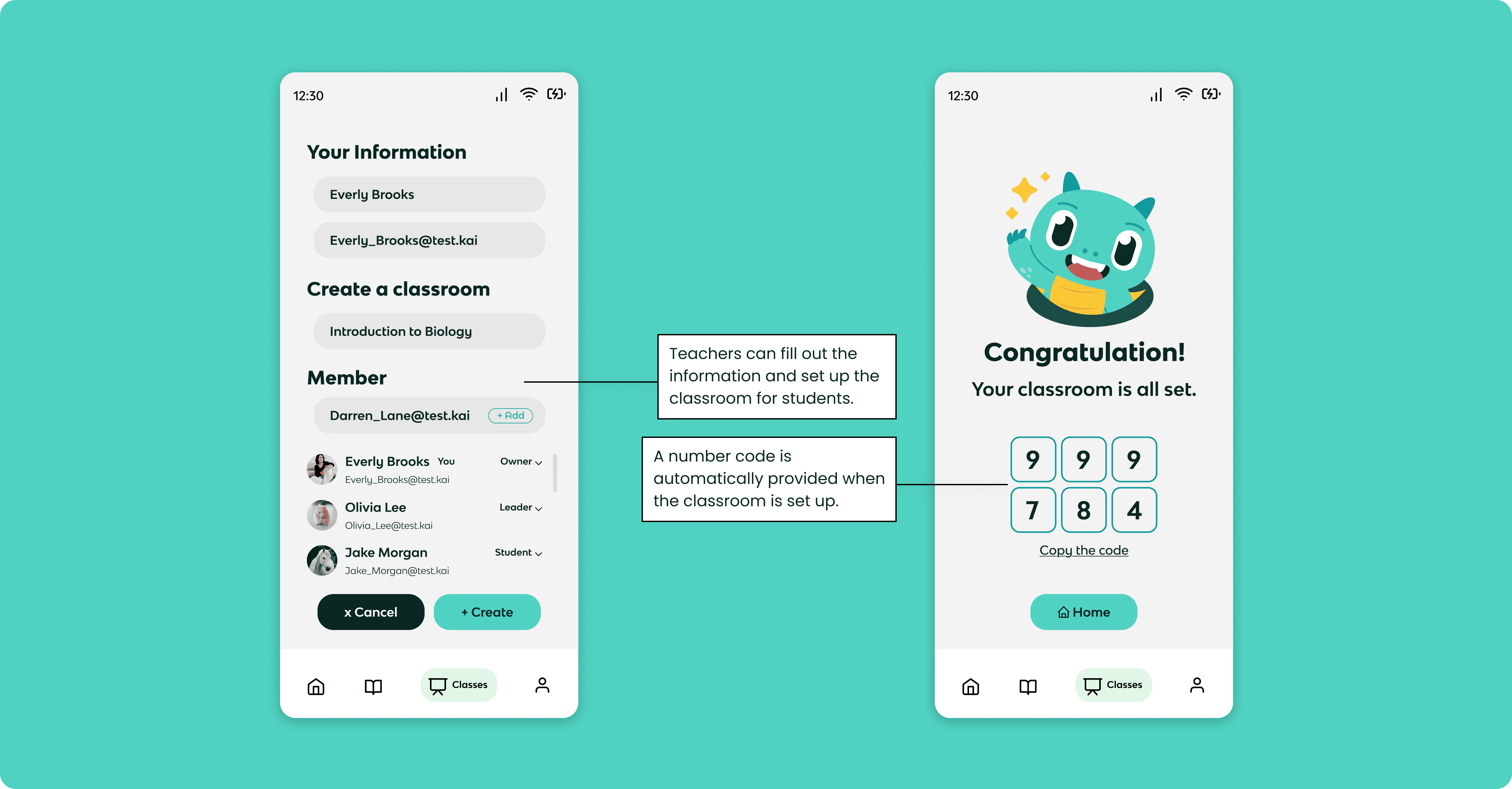
For this project, we focused more on the teacher's perspective. What if teachers could create a room for their students? This would allow them to build a community where students can track each other's progress and stay motivated by one another.


So, why not create this space for them?

For this project, we focused more on the teacher's perspective. What if teachers could create a room for their students? This would allow them to build a community where students can track each other's progress and stay motivated by one another.


So, why not create this space for them?

Final Prototype

For Student

For Student

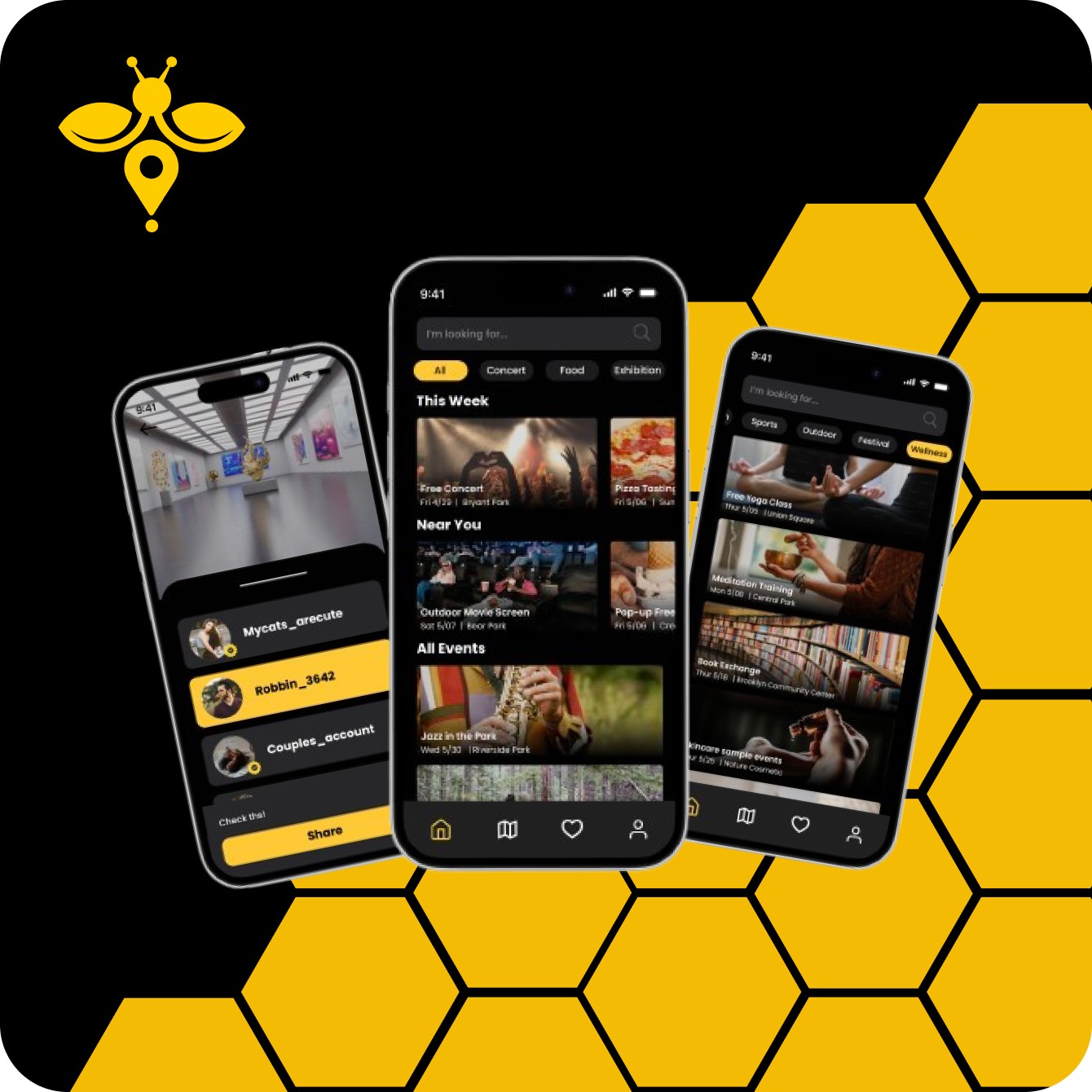
Showcasing the home page, how activities are categorized, event information

and the sharing features with friends.

Showcasing the home page, how activities are categorized, event information

and the sharing features with friends.

For Teacher

For Teacher

Users can discover new locations on the map and save them for later. They can also check their friends' likes and plan activities together. The "Freebee's Choice" highlights destinations that the Freebee community considers most worth visiting.

Users can discover new locations on the map and save them for later. They can also check their friends' likes and plan activities together. The "Freebee's Choice" highlights destinations that the Freebee community considers most worth visiting.

How it Works

Conclusion

How it solves the user’s problem?

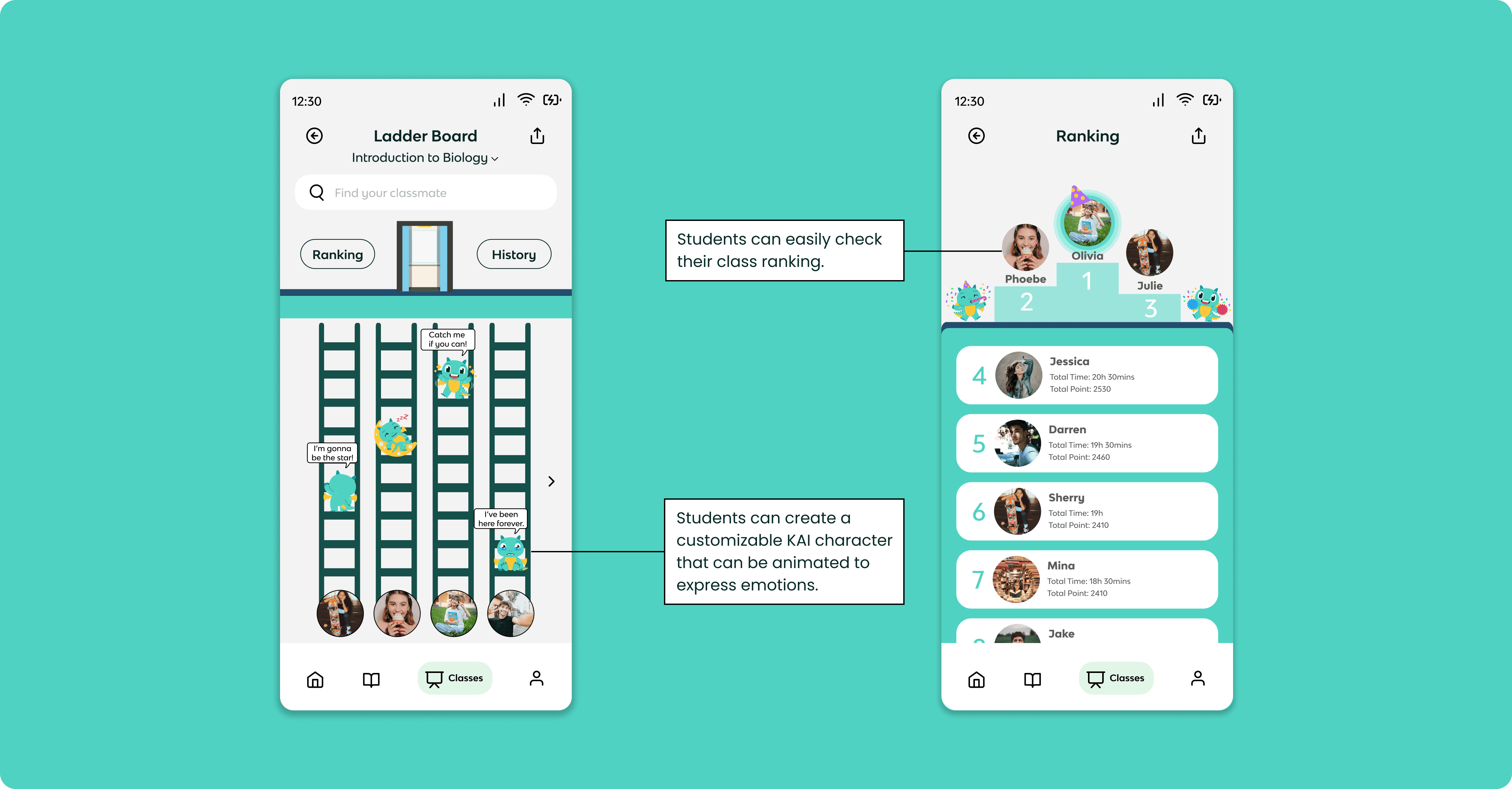
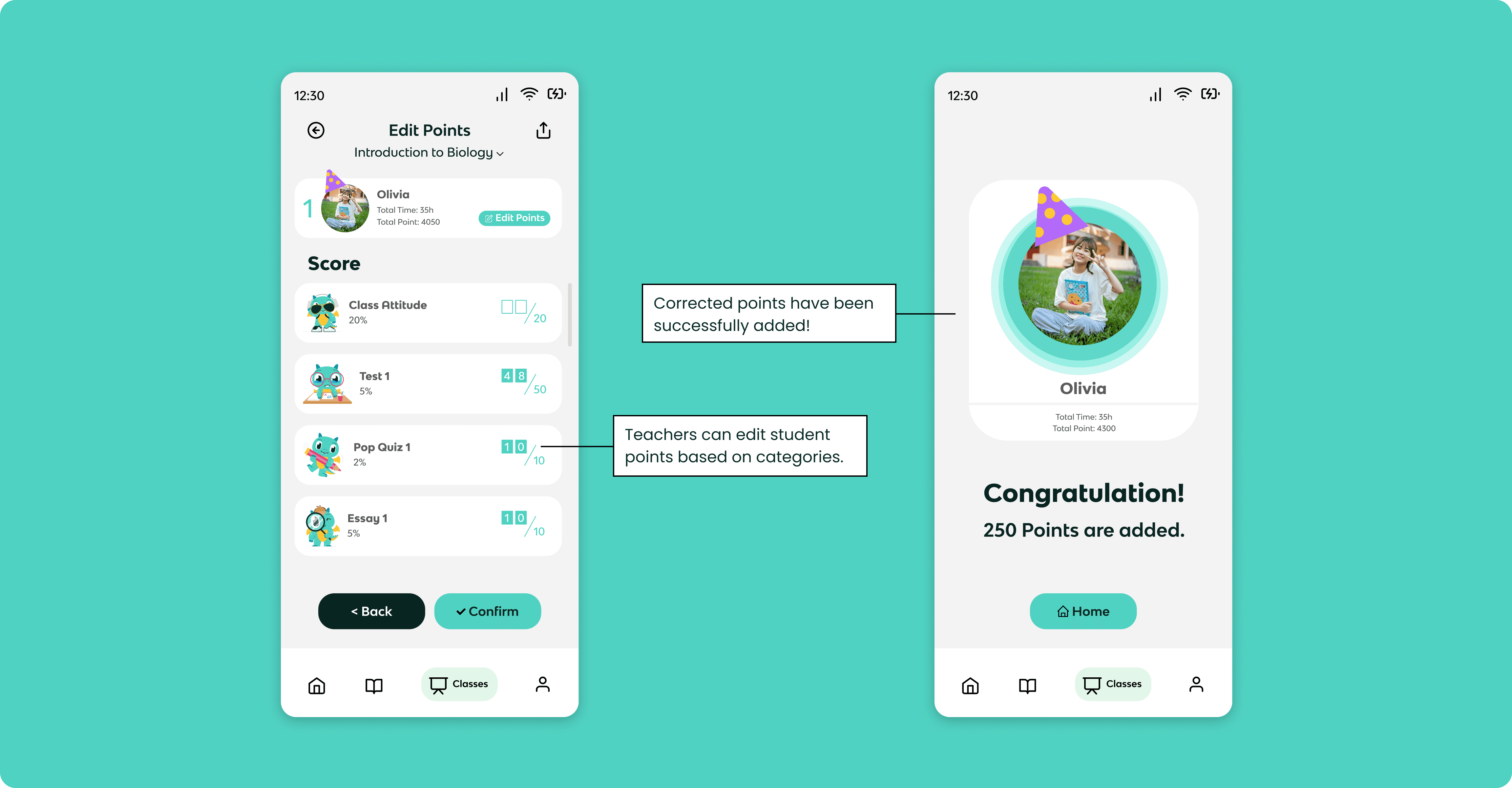
By creating trackable competitions, teachers can boost students' motivation and provide insights into how they can improve their study plans. Offering rankings and ladder boards based on progress helps students stay dedicated to their studies, fostering a more proactive and engaging learning environment.

What is the next step

This project taught me how to effectively utilize the limited space in mobile design. Choosing the right elements is crucial, as mobile screens offer much less room compared to desktop designs. One key lesson came from my low-fidelity design, where I decided to remove the logo from the homepage. This decision allowed for more space to display events, which are the primary focus of the app. By prioritizing content over branding in this case, I ensured that users could easily access the most important information without unnecessary distractions. This experience highlighted the importance of thoughtful decisions when it comes to designing for small screens and maximizing the user experience.
ria9984yan@gmail.com

ria9984yan@gmail.com

ria9984yan@gmail.com